
Storm as a Red5 Pro Alternative
Storm Streaming Server is a modern alternative to Red5 Pro, built around a different product philosophy. While Red5 Pro provides a set of components that require significant custom development to integrate, Storm delivers a fully functional, ready-to-use ecosystem out of the box.
Below is a detailed comparison of both platforms.
 STREAMER
 STORM SERVER
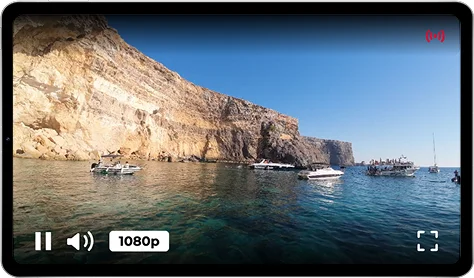 STORM PLAYER
Product Architecture
Storm Streaming Server was designed with speed, ease of integration, and solution completeness in mind. By choosing Storm, you receive fully functional server software along with dedicated components ready to embed in your website or application. There is no need to build and style your own player or webcaster - these are provided out of the box, ready to use. There is also no need to develop custom plugins for stream authorization or backend integration.
Third-party players are also supported.
Red5 Pro takes a different approach. While it also provides a set of components - including a player and webcaster - how these elements are connected is entirely up to the developer. Many aspects such as authorization, backend communication, and the final appearance of the player typically require additional development work to bring everything together into a cohesive solution.
Control Panel
The Storm Streaming Server control panel is the heart of the application and is far more than a graphical wrapper over the available API. It provides access to server, viewer, and cluster statistics, and allows easy real-time preview of live streams along with their live metrics.
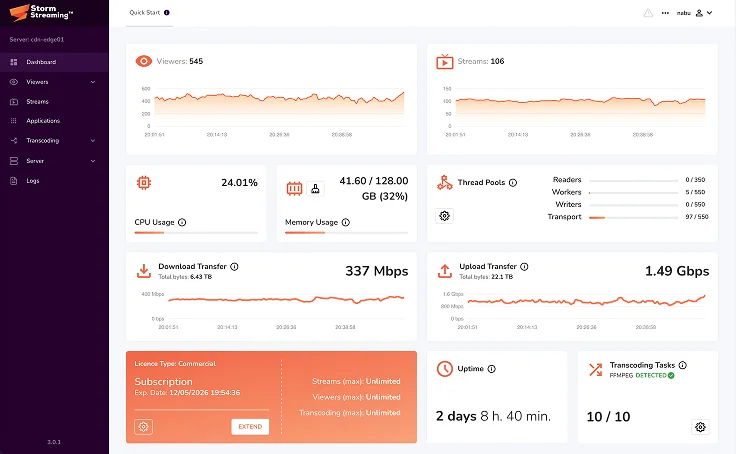
The Red5 Pro control panel primarily enables server and stream configuration management, along with basic application monitoring. Building a dedicated monitoring system for streams and the cluster remains the responsibility of the user or developer.
Statistics and Monitoring
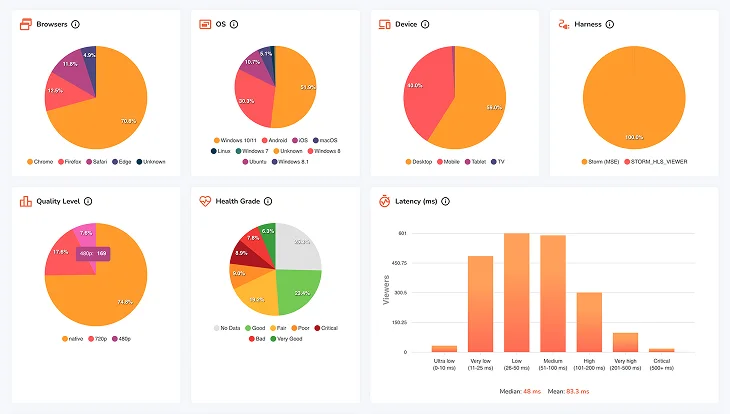
A core capability of Storm Streaming Server is its ability to surface the actual quality of the viewing experience. Latency, buffer size and stability, connection speed, and browser-side dropped frames - all of this data is collected and processed by the server. The same applies to inbound streams: frame rate, latency, and buffer fluctuation are continuously evaluated, giving you a clear picture of whether your infrastructure is performing correctly and, if not, where the problem lies.
Red5 Pro includes components capable of retrieving basic viewer-side statistics, but this data is neither processed by the server nor presented in any central location. Without additional development effort, it remains inaccessible - there is no built-in mechanism to collect, aggregate, and transform it into actionable information about the state of the system.
Cluster
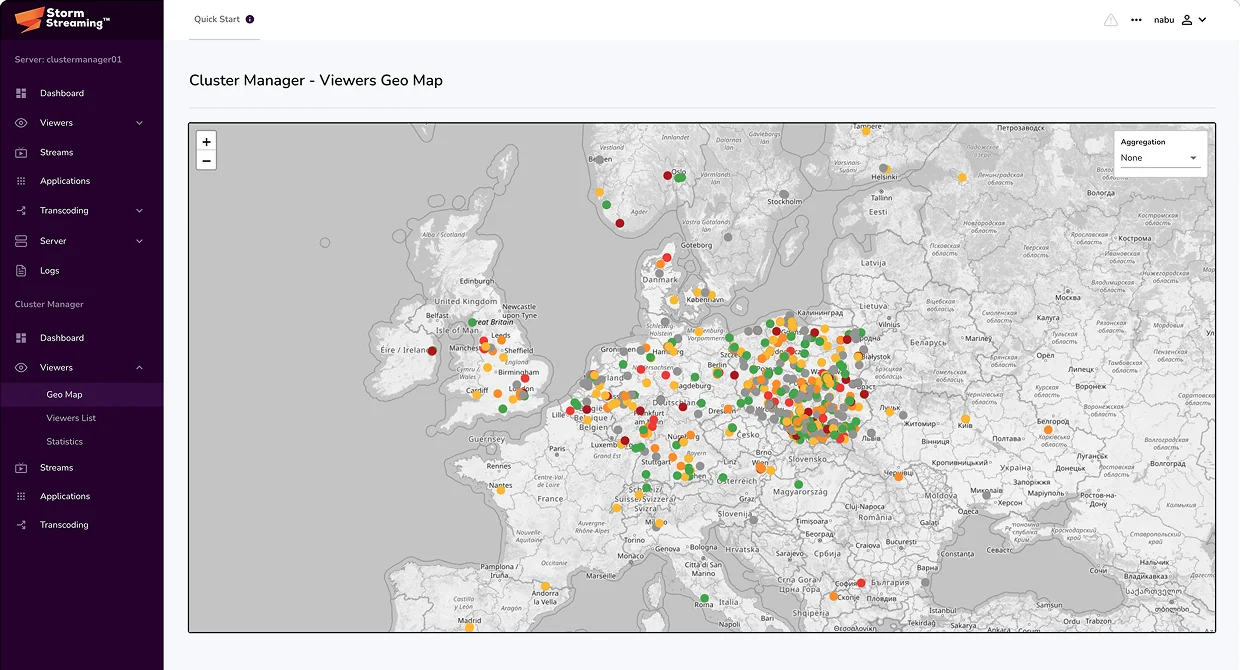
Storm Streaming Server features a unique cluster architecture that works equally well in on-premise, cloud, and hybrid environments. A dedicated component called the Cluster Manager connects different server types into a unified system, managing communication between them and enabling dynamic scaling in both directions. In addition to standard origin and edge application types, Storm provides a dedicated transcoding node type. The Cluster Manager can autonomously decide which streams receive transcoding resources and which do not, based on current load and demand. Global collection and real-time processing of viewer and stream statistics from all nodes is also available within the Cluster Manager.
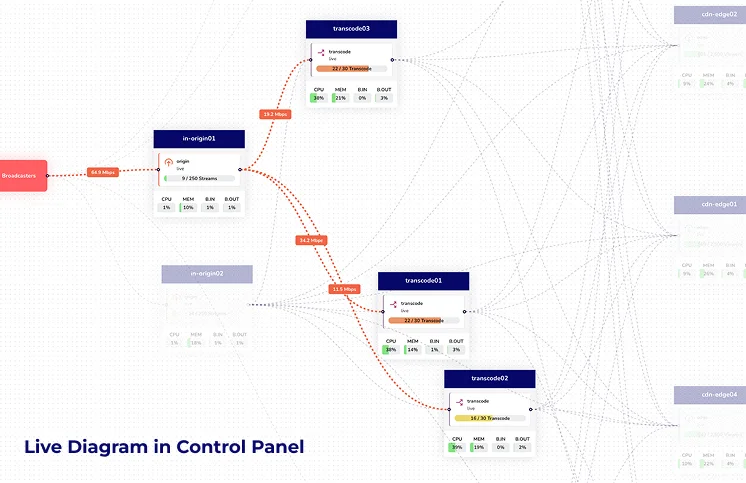
Red5 Pro offers a cluster architecture based on several node types: origin, edge, relay, and transcoder. Cluster management is handled by the Stream Manager component, which was designed primarily for cloud environments - its core function is the automated provisioning and decommissioning of server instances via cloud provider APIs such as AWS, Azure, and Google Cloud. On-premise deployment is possible but requires additional configuration and does not fully benefit from the auto-scaling capabilities. Transcoding assignment is not handled dynamically by the system - each stream must be individually configured and routed to a Transcoder node through explicit API calls. The cluster has no centralized mechanism for real-time collection and aggregation of stream and viewer statistics across all nodes.
REST API
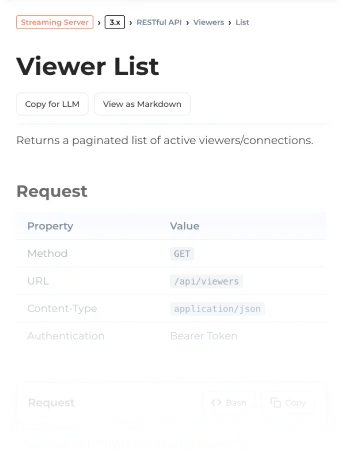
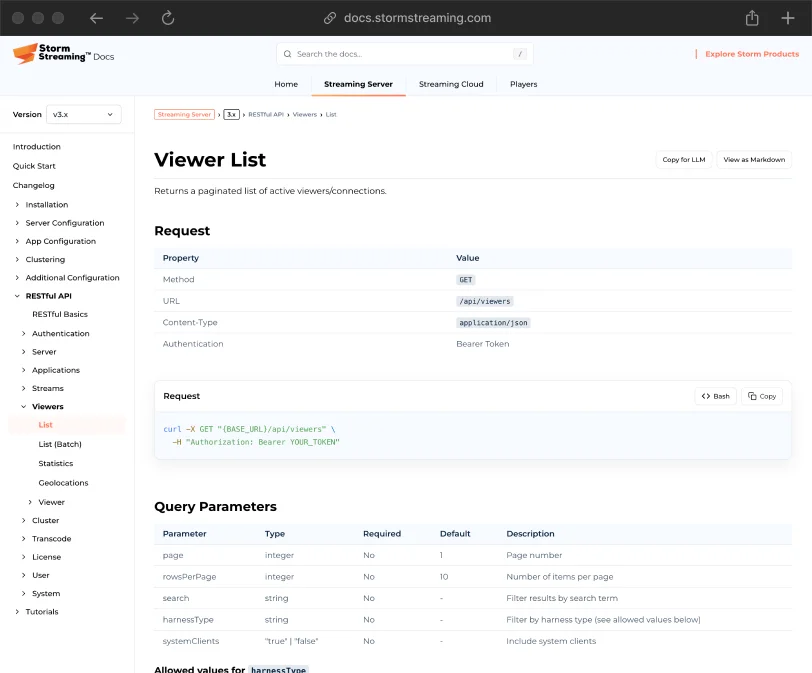
Storm Streaming Server provides a comprehensively designed REST API with approximately 140 endpoints, covering management of all core server modules - including settings, applications, transcoding, and viewers. The cluster component is also fully controllable through the API.
Red5 Pro exposes two separate REST APIs totaling approximately 50 endpoints. The Server API, operating at the individual node level, focuses primarily on reading statistics and disconnecting clients - it does not support managing server or application configuration via API. Cluster management is handled by the separate Stream Manager 2.0 component, which covers node provisioning and publisher/subscriber routing, but does not offer a unified view of cluster state or operational-level stream control.



 STORM STREAMING SERVER
Transcoding
Transcoding in Storm Streaming Server can operate at the level of a standalone non-clustered application, a clustered origin application, or as a dedicated cluster node type responsible for transcoding the most in-demand streams within the cluster. Both GPU-based encoding (NVENC, AMF, QSV) and CPU-based encoding are supported. The number of simultaneous transcoding tasks is limited only by the hardware of the server running the instance. Transcoding is available on Windows, macOS, and Linux/Unix.
Transcoding in Red5 Pro operates exclusively on a dedicated Transcoder node within a cluster managed by Stream Manager. Two ABR scenarios are supported: server-side (the broadcaster publishes a single stream and the Transcoder node generates the adaptive variants) and client-side (the broadcaster publishes each variant independently using an external encoder). The platform runs exclusively on Linux and cloud environments.