
Storm as a Ant Media Server Alternative
Storm Streaming Server is a modern alternative to Ant Media Server, built with operational visibility at its core. While Ant Media Server focuses primarily on ultra-low latency WebRTC delivery, Storm goes further - giving platform operators real-time insight into what every viewer is actually experiencing, turning raw stream data into actionable intelligence about the health of the entire platform.
Below is a detailed comparison of both platforms.
 STREAMER
 STORM SERVER
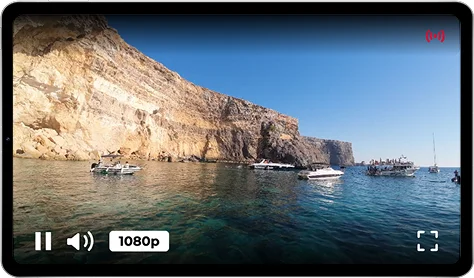 STORM PLAYER
Product Architecture
Storm Streaming Server was designed as a fully integrated ecosystem, where server, player, and webcaster are not separate products loosely bundled together - they are purpose-built to work as one. Storm Player does more than play video: it continuously reports playback quality, latency, buffer stability, and viewer-side issues back to the server in real time. Storm Broadcaster mirrors this on the publishing side, providing live network diagnostics during the stream. This closed feedback loop between all components is what enables the platform-wide operational visibility that sets Storm apart.
Third-party players are also supported.
Ant Media Server also provides a player and broadcaster component, but the integration between them is shallow. The built-in Web Player handles playback across WebRTC, HLS, and DASH, and the JavaScript SDK allows custom publishing implementations - however, neither component reports playback quality or viewer-side diagnostics back to the server. What happens on the viewer's end stays on the viewer's end.
Control Panel
The control panel is highly advanced. In addition to full configuration capabilities, it provides access to statistics at multiple levels (server, stream, viewers, and cluster). It also allows creating and previewing live streams.
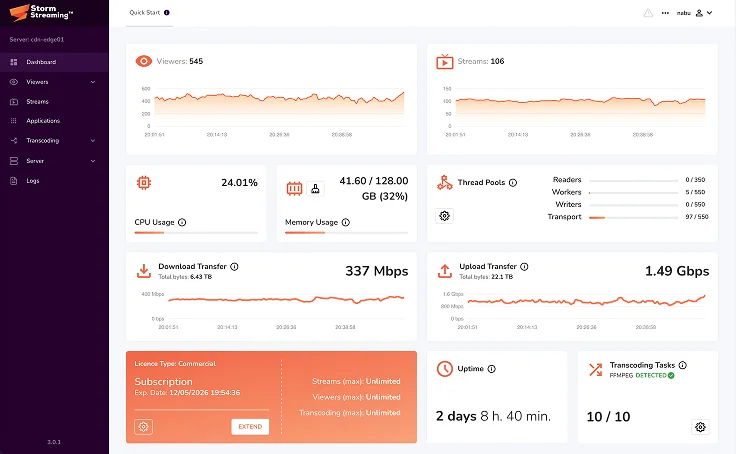
The Ant Media Server dashboard covers server configuration and basic resource monitoring - CPU, memory, and bandwidth usage. Stream and viewer-level statistics are limited, and there is no built-in mechanism to assess playback quality across connected viewers. The panel serves as an administration interface rather than an operational monitoring tool.
Statistics and Monitoring
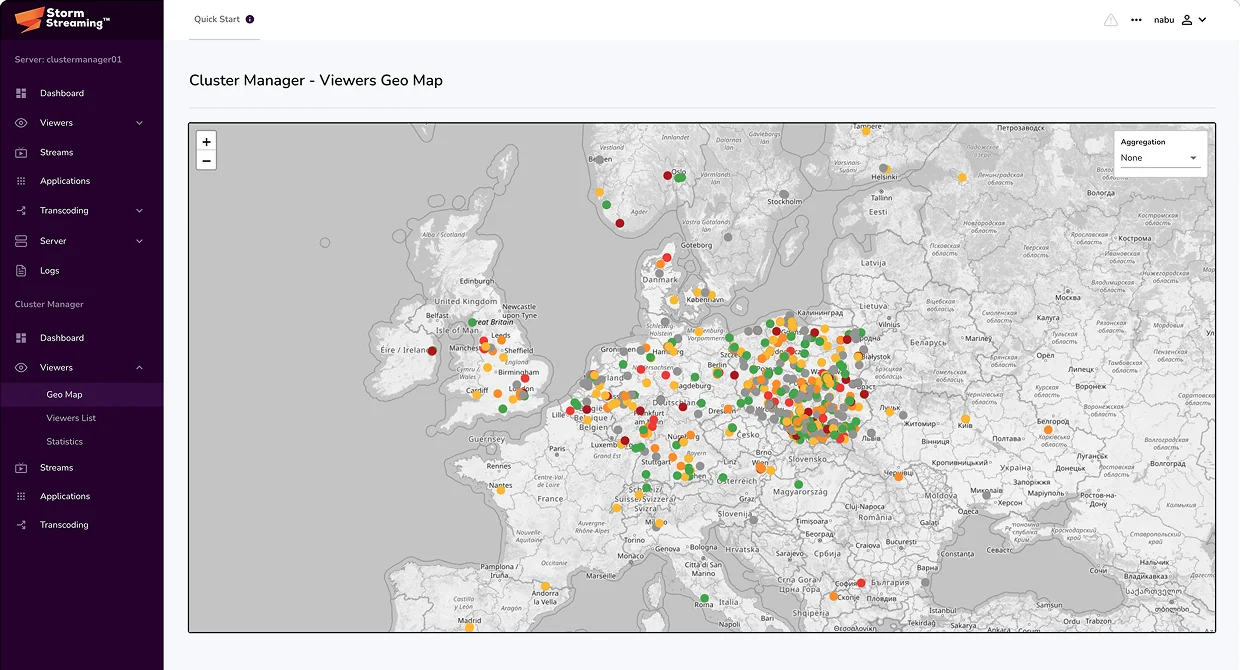
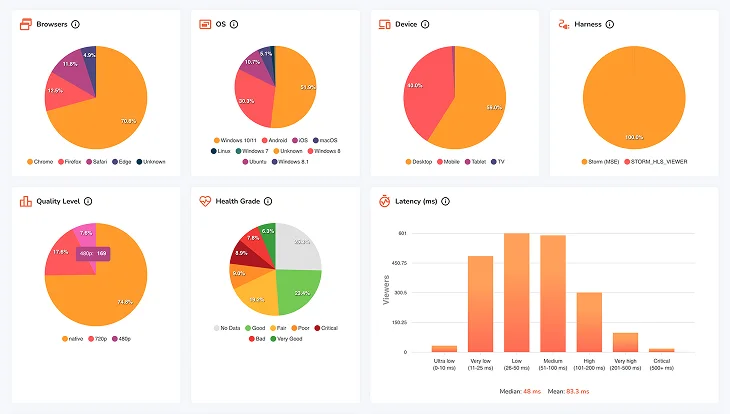
Storm Streaming Server treats viewer-side data as a first-class signal. Every connected viewer continuously reports playback metrics - latency, buffer size and stability, bandwidth, and dropped frames - back to the server, where this data is aggregated and made available in real time. Inbound streams are evaluated on the same basis: frame rate stability, latency, and buffer behavior are monitored continuously, giving operators an immediate, accurate picture of platform health at every level.
Ant Media Server provides basic per-stream statistics such as viewer count, active protocol, and inbound bitrate. Viewer-side playback quality - buffer health, experienced latency, dropped frames - is not collected or surfaced natively. Operators looking for this level of insight need to build their own instrumentation on top of the platform.
Cluster
Storm Streaming Server features a centralized and dynamic cluster architecture designed to work equally well on-premise, in the cloud, or in hybrid environments. The Cluster Manager acts as the connective tissue of the entire system - linking origin, edge, and dedicated transcoding nodes into a single, cohesive unit. Stream publication events propagate automatically across all edges, transcoding resources are allocated dynamically based on actual demand, and viewer and stream statistics from every node are aggregated in real time at the cluster level.
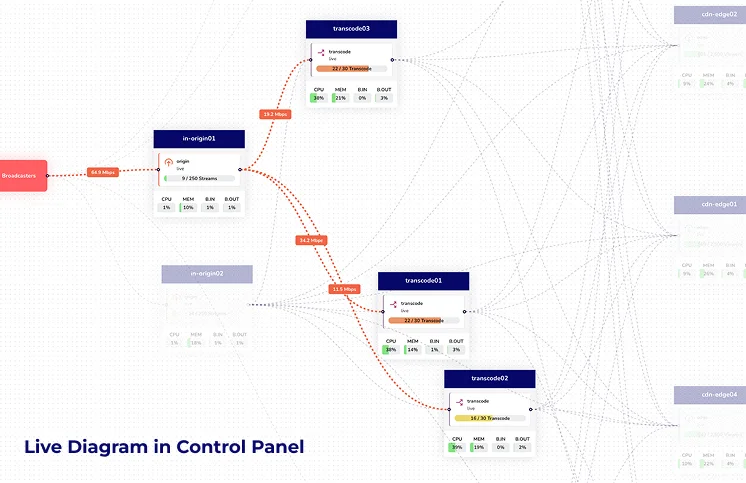
Ant Media Server offers cluster support through its Stream Manager component, which is designed primarily around cloud auto-scaling - automatically provisioning and decommissioning nodes via AWS, Azure, or GCP APIs. On-premise deployments are possible but more complex. Transcoding is not allocated dynamically by the system; each stream must be individually routed to a transcoding node via API. There is no centralized aggregation of viewer or stream statistics across the cluster.
REST API
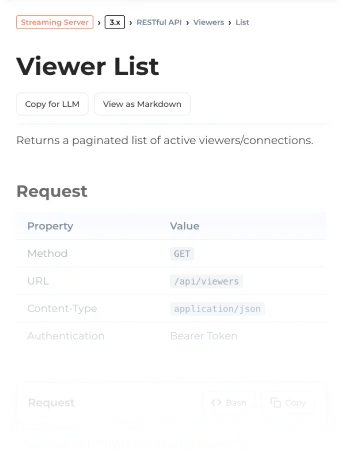
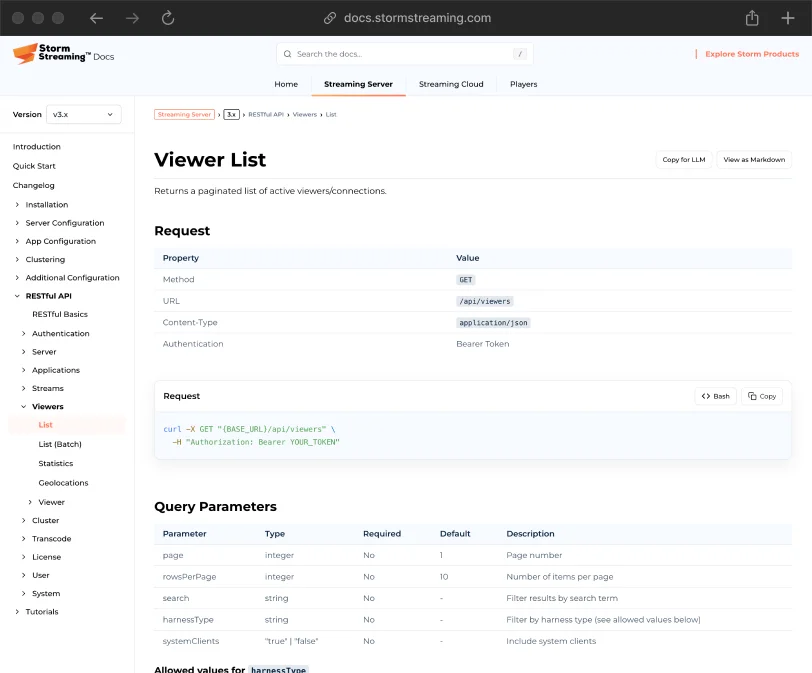
Storm Streaming Server exposes a comprehensive REST API with approximately 140 endpoints spanning every layer of the platform - server configuration, applications, streams, viewers, and transcoding. On cluster deployments, the API extends further, providing full control over individual nodes, stream routing, and cluster-wide transcoding operations from a single, unified interface.
Ant Media Server provides a REST API covering stream management, application configuration, and basic recording controls. Cluster operations are handled through a separate Stream Manager API, meaning there is no single unified interface for the entire system. Combined, both APIs offer approximately 60–70 endpoints.



 STORM STREAMING SERVER
Transcoding
Storm Streaming Server supports transcoding at every level of the deployment - within a standalone application, on a clustered origin node, or through a dedicated transcoding node that dynamically handles the most in-demand streams across the cluster. Both CPU (x264) and GPU (NVENC, AMF, QSV) encoders are supported via a flexible preset system, with no license-imposed cap on concurrent tasks. Transcoding is available on Windows, macOS, and Linux/Unix.
Ant Media Server supports adaptive bitrate transcoding on both CPU and GPU (NVENC), with no license-imposed limit on concurrent tasks. However, transcoding operates exclusively on Linux - Windows and macOS are not supported. In clustered deployments, each stream must be explicitly routed to a transcoding node; there is no dynamic allocation based on demand.